 Mallet Coach · iPhone & iPad · Coming soon
Scales, arpeggios and chords. Every note graded.
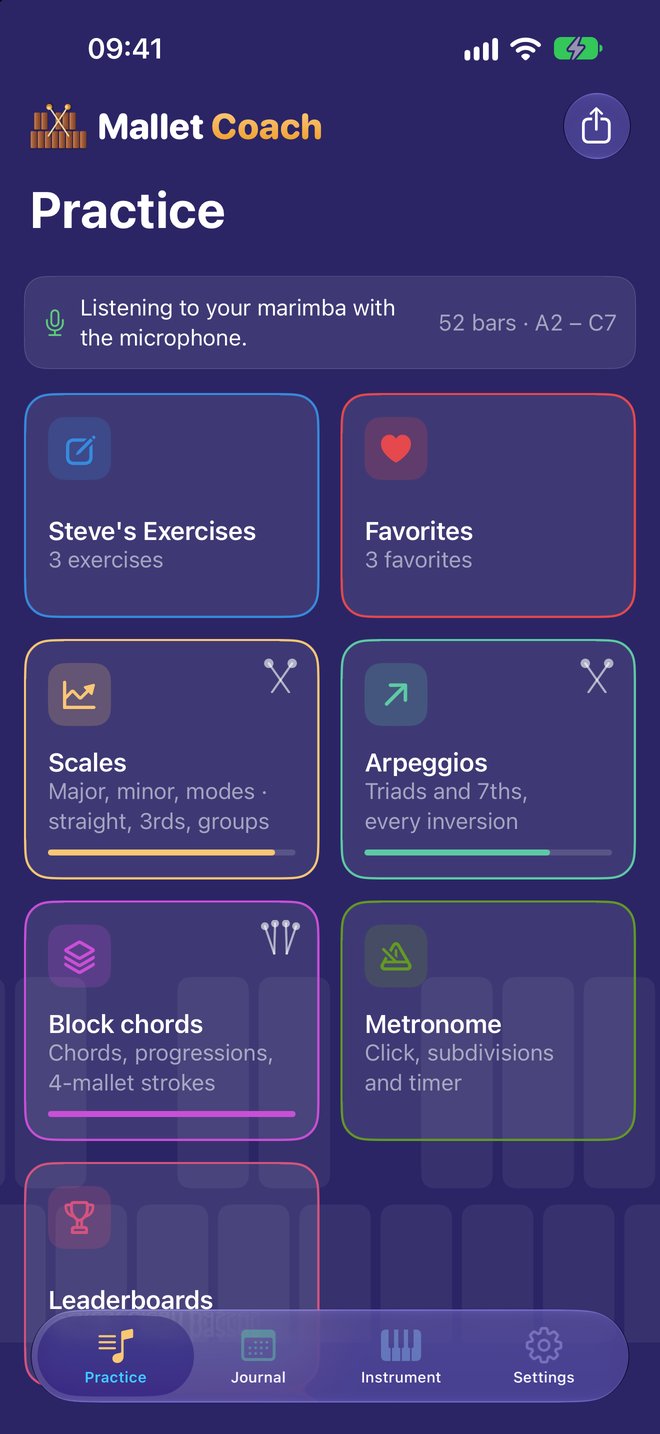
Mallet Coach is a practice partner for marimba, vibes and xylophone players. Play on a MalletKat, a Malletstation or an acoustic marimba, and every note is marked on the staff: the right bar or the wrong one, on time or not — and for four-mallet chords, how close together the mallets land.
Coming soon to the App Store for iPhone and iPad.
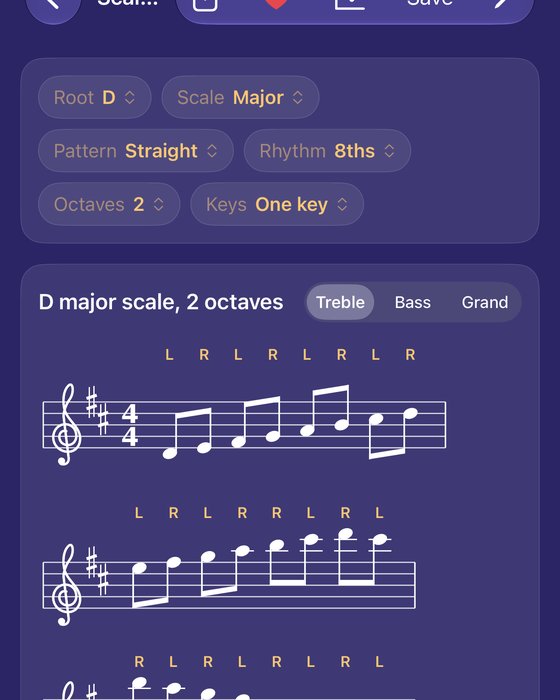
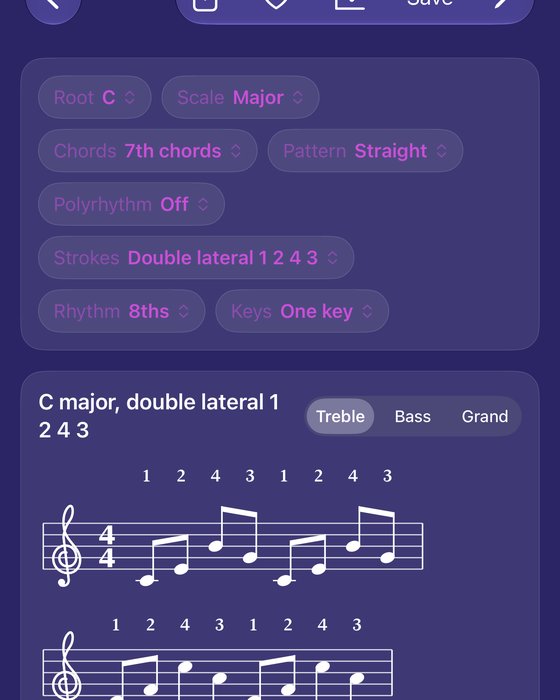
Every exercise, in every key.
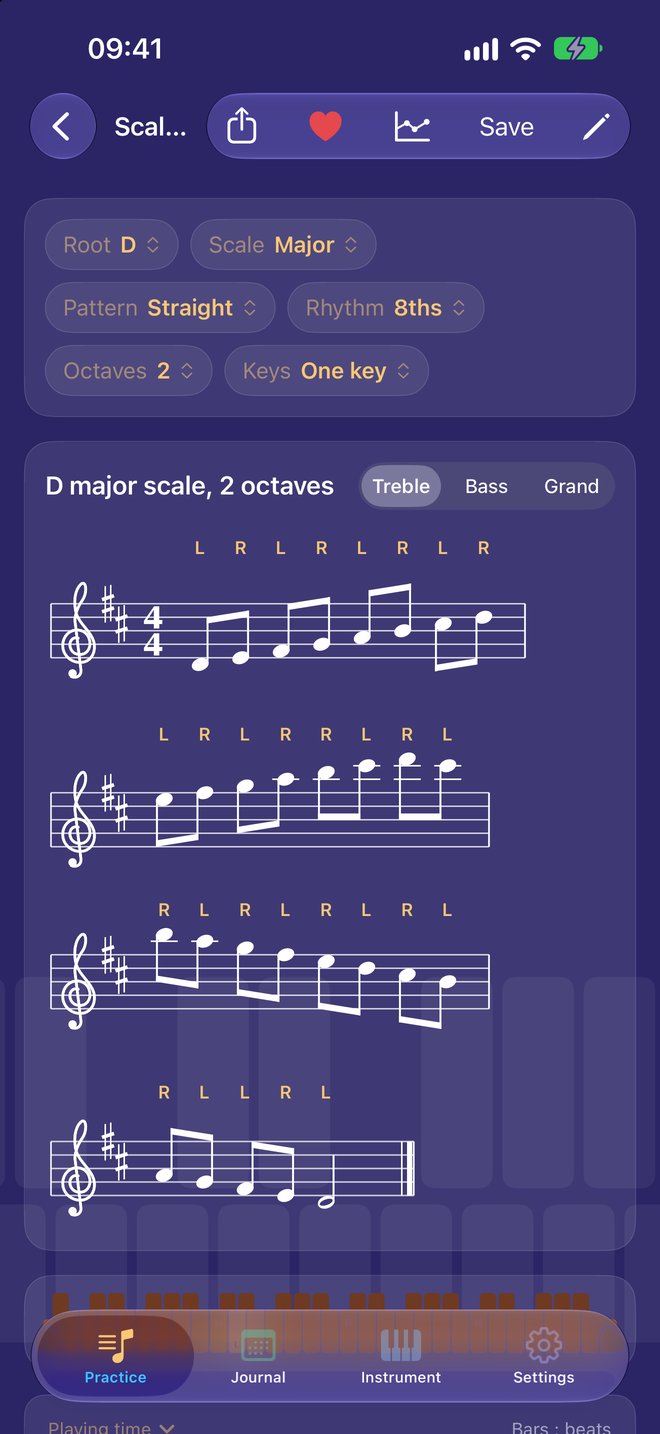
Exercises are built from the scale, the pattern, the key and your instrument’s range, so everything comes in all 12 keys and always fits the bars you have.
Scales
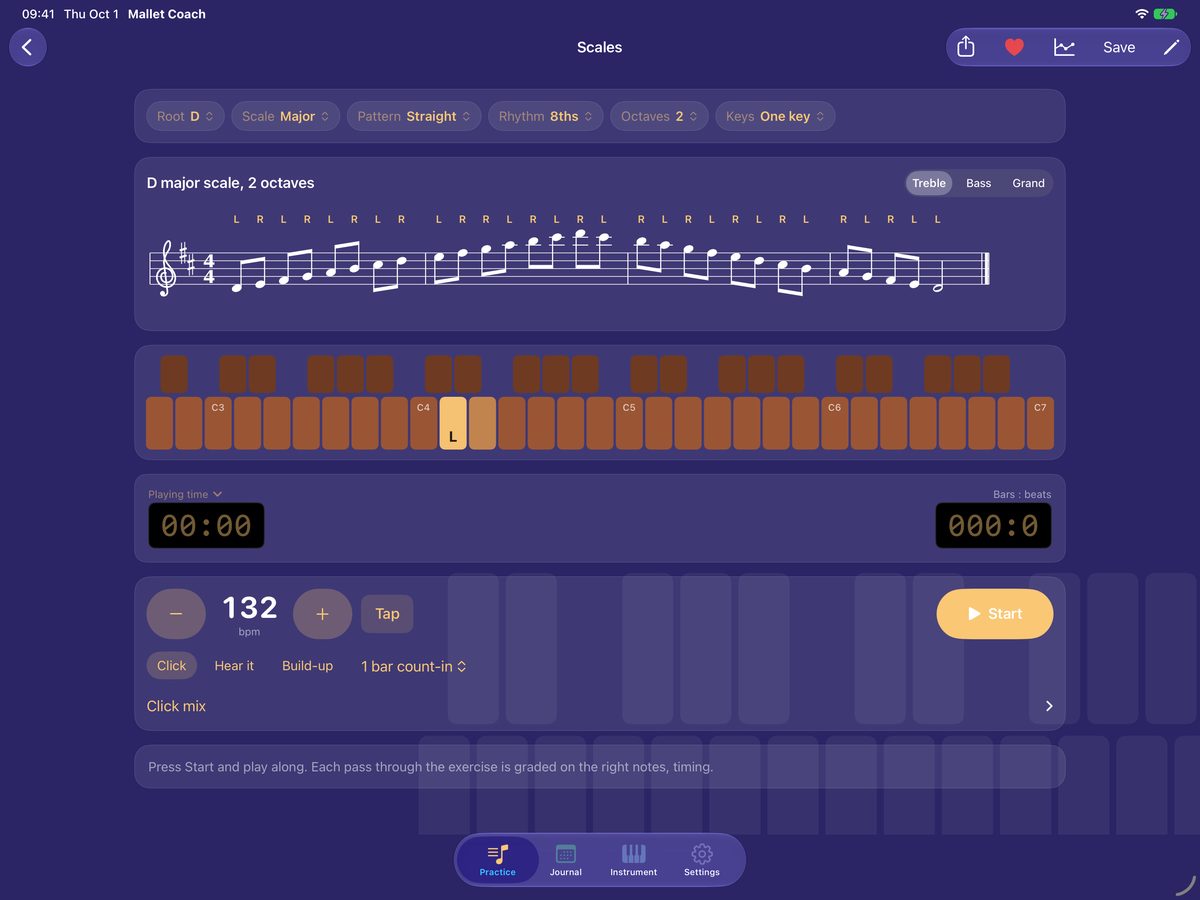
Major, the three minors, the modes, pentatonics, chromatic and whole-tone. Straight, or in 3rds, 4ths, 5ths, 6ths and octaves, in groups, and as double stops.
Arpeggios
Triads and 7th chords in every inversion, through the keys by the circle of 4ths or 5ths, chromatically, or at random.
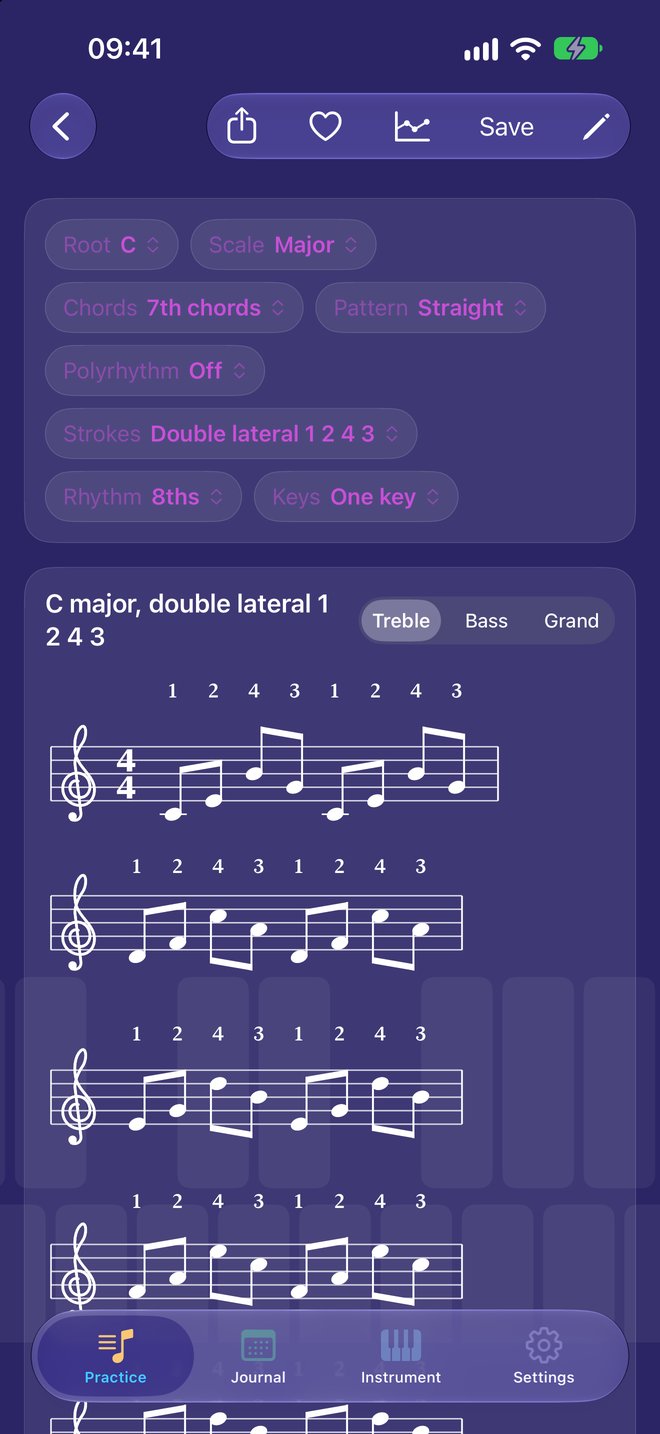
Four-mallet strokes
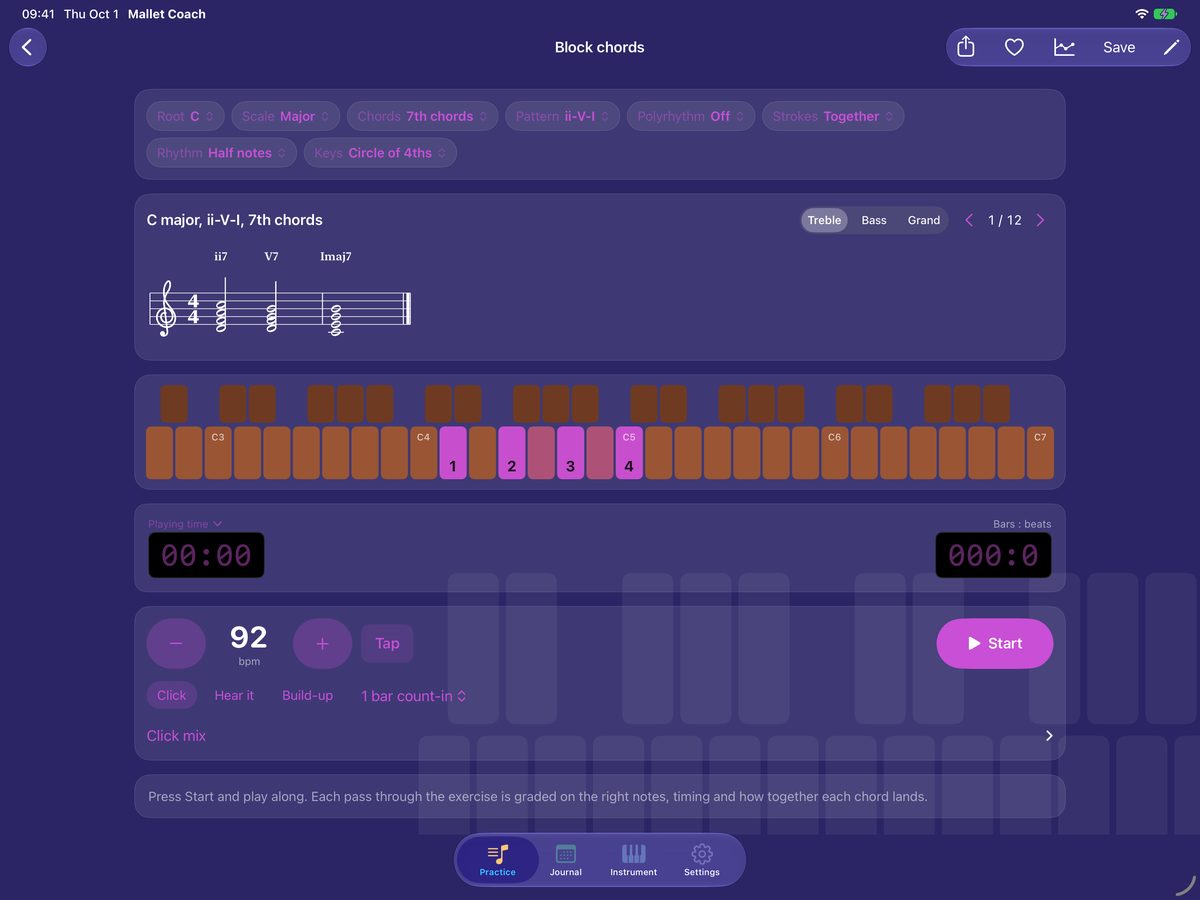
Block chords and the Stevens stroke types — single independent, single alternating, double vertical, double lateral, interval changes — with mallets 1 to 4 over the notes.
Progressions
ii–V–I, I–vi–ii–V, I–IV–V–I and I–vi–IV–V, voice-led for the least mallet movement, in 7th chords or triads.
Polyrhythms
Sixteen polyrhythms between the hands over the chords, from 3 against 2 to 5 against 7, on two staves.
Every note graded
Green is the right note on time, amber early or late, and red a wrong note, with the note you did play shown beside it. Chords are scored on spread, and velocity by mallet finds a weak inner mallet.
Rolls graded
Rolled notes are measured for speed in strokes a second, evenness, and how long the roll is held.
Your controller or the microphone
A MalletKat, Malletstation or other MIDI controller, with bar sounds played through, or an acoustic marimba or xylophone heard by the microphone. Set the range once and the keyboard on screen matches.
Built for practice
A metronome with subdivisions and a full click mix, a count-in, Hear the exercise, tempo build-ups, and “Speed up when I’m ready.” Treble, bass or grand staff.
Everything around the bars.
Find the weak spots, keep the streak, and bring your students along.
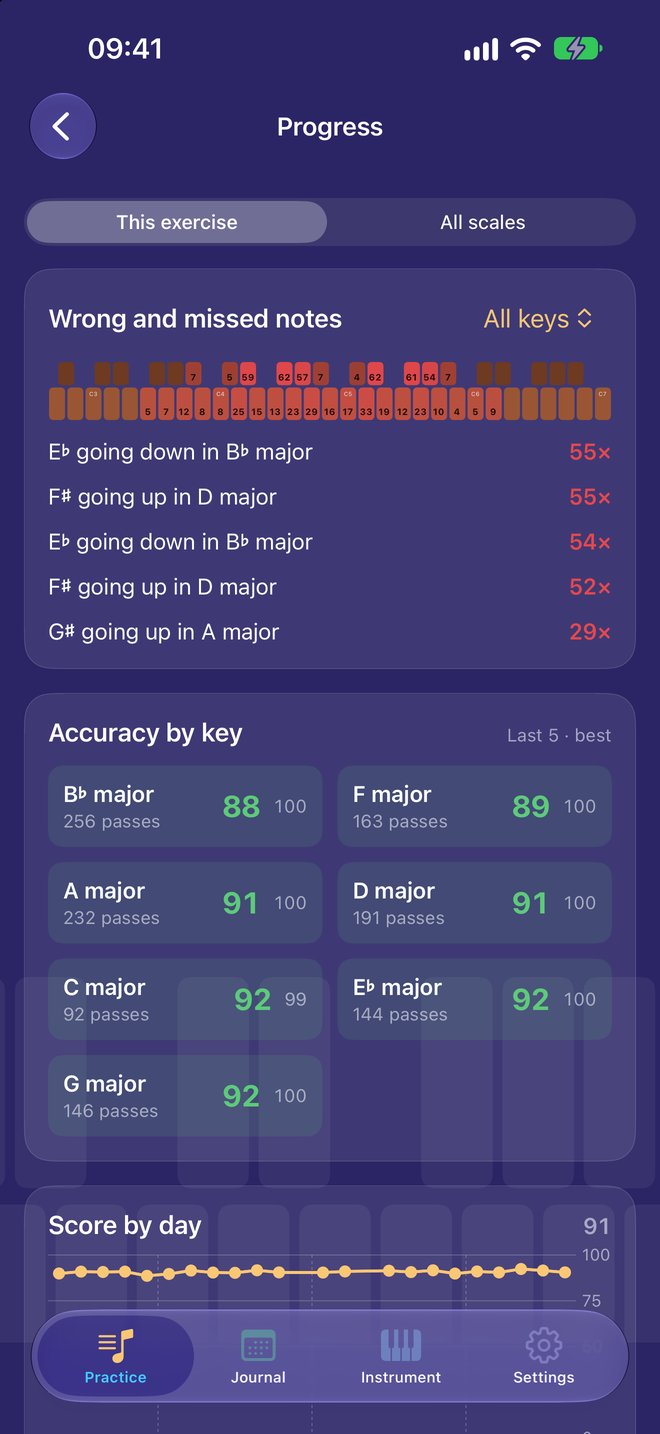
Progress
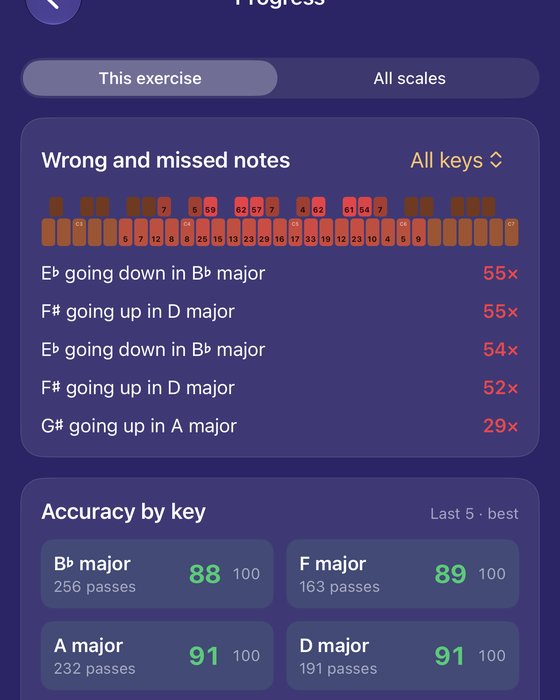
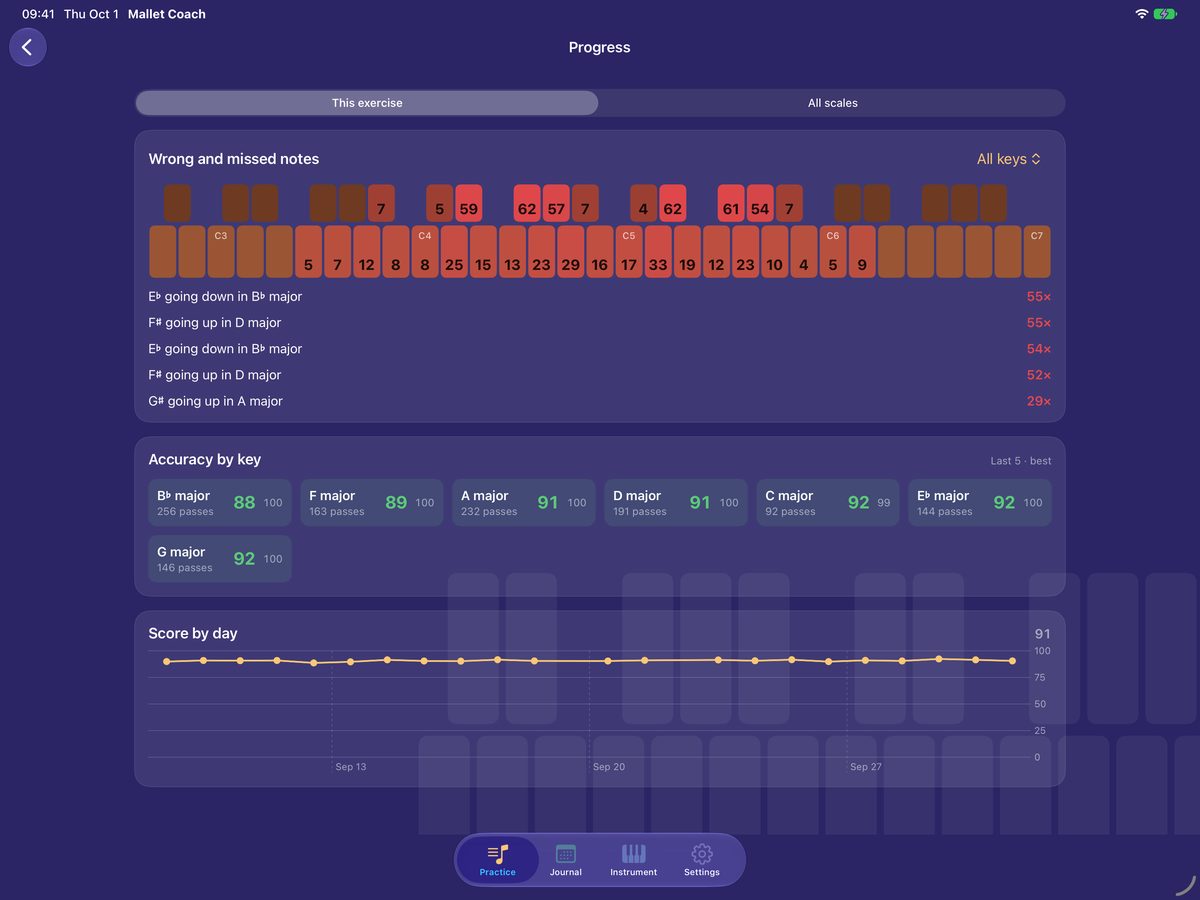
Wrong and missed notes lit on your keyboard, your worst spots in words, and accuracy by key.
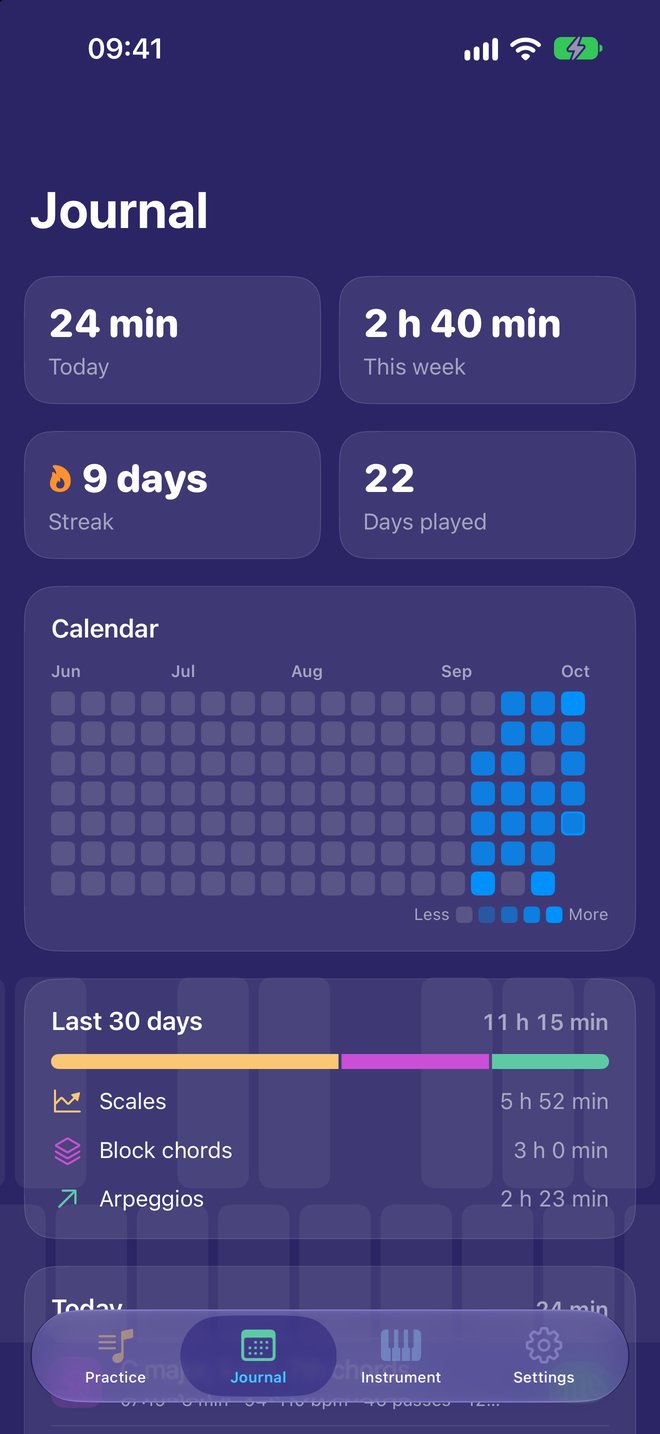
Journal
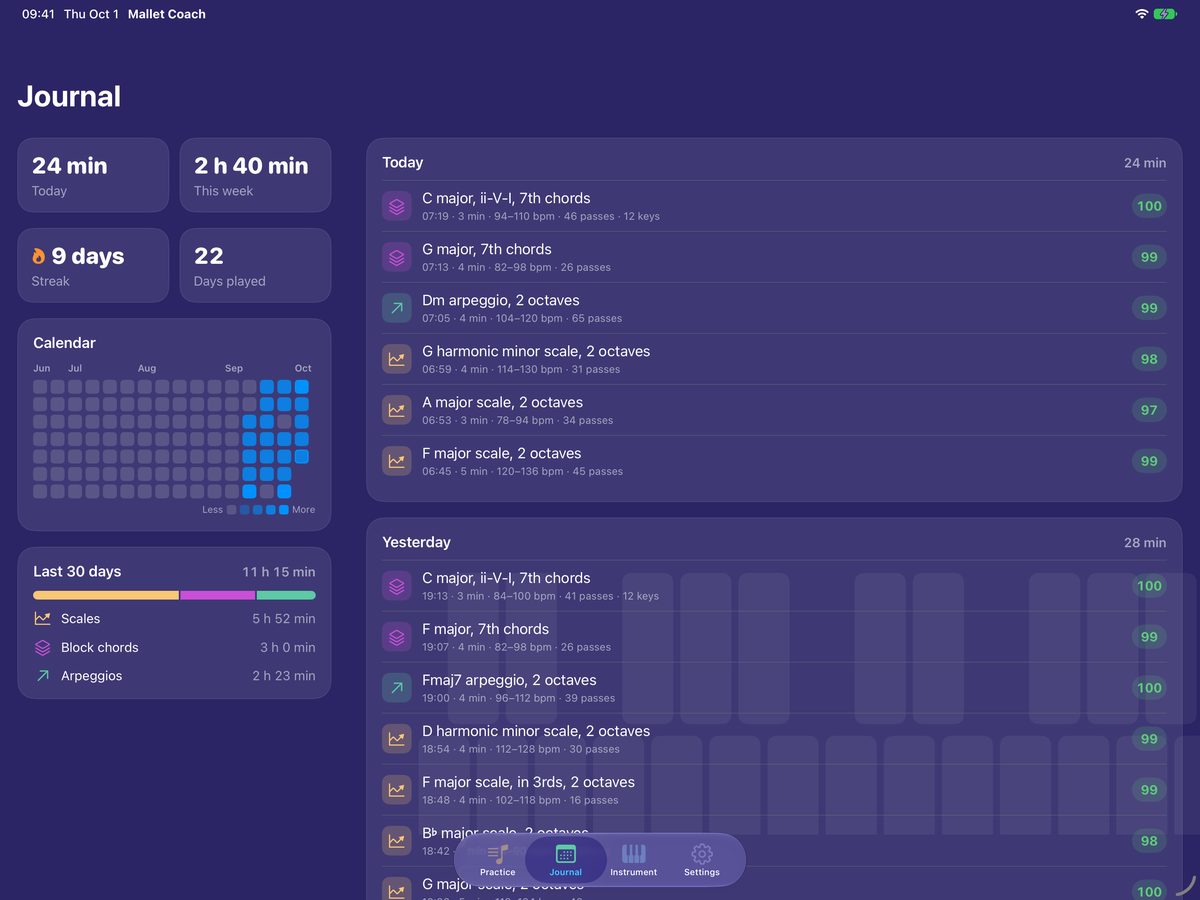
Today, this week, your streak, a calendar of the days you played, and every session by day.
Favorites and warm-up
Line up the exercises you play every day and run them as a warm-up, a few passes each.
Pattern editor
Write your own lines and chords, or play them in from the instrument.
Share with students
Send an exercise or an assignment with a goal tempo and due date; results come back by student.
iCloud sync
Exercises, favorites, history and your instrument follow you between iPhone and iPad.
Leaderboards and achievements.
Game Center is optional: turn it on in Settings, or leave it off and practice on your own.
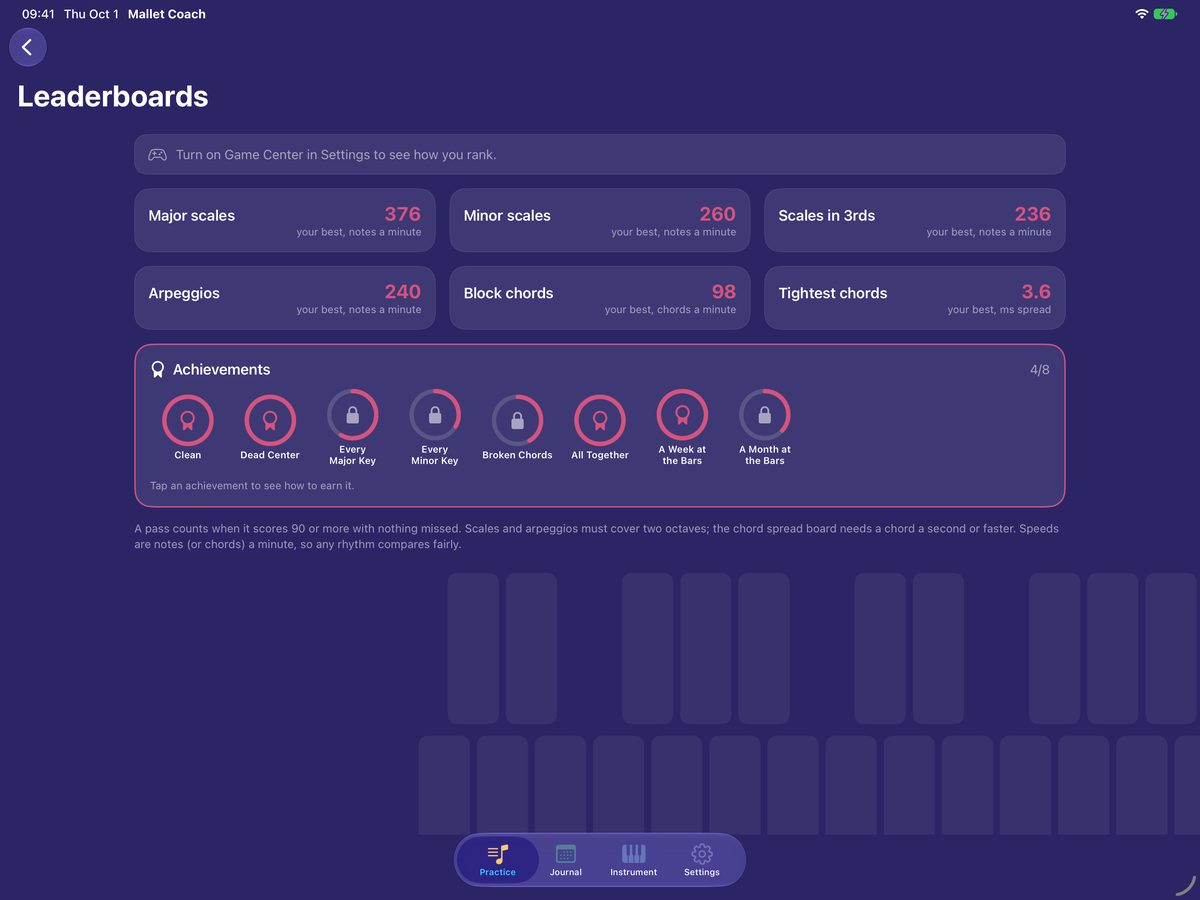
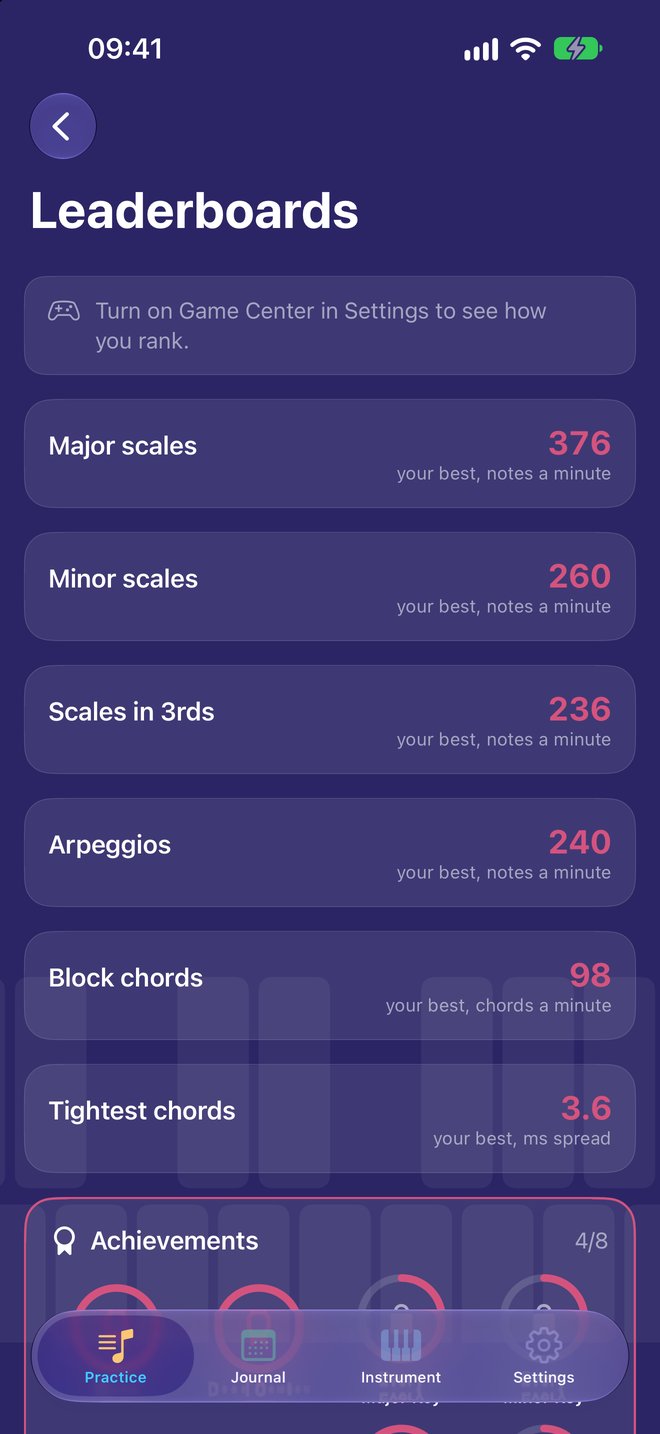
Leaderboards
Major scales
Fastest clean major scale, in notes a minute.
Minor scales
Fastest clean minor scale (natural, harmonic or melodic), in notes a minute.
Scales in 3rds
Fastest clean scale in 3rds, in notes a minute.
Arpeggios
Fastest clean arpeggio, in notes a minute.
Block chords
Fastest clean block chords, in chords a minute.
Tightest chords
Smallest average chord spread on clean block chords at a chord a second or faster, in ms. Lower is better.
A pass counts when it scores 90 or more with nothing missed, on a built-in exercise. Scales and arpeggios must cover two octaves. Your own exercises aren’t ranked.
Achievements
Clean
Play a clean pass (a score of 90 or more).
Dead Center
Score 98 or more on a pass.
Every Major Key
Play a clean major scale in all 12 keys.
Every Minor Key
Play a clean minor scale (any form) in all 12 keys.
Broken Chords
Play a clean arpeggio in all 12 keys.

All Together
Play a clean pass of block chords with an average spread of 5 ms or less.
A Week at the Bars
Practice 7 days in a row.
A Month at the Bars
Practice 30 days in a row.
Progress fills in from everything you’ve already played.
A look inside.
Scales on the staff and keyboard, four-mallet chords, progress, and the journal — straight from the app.
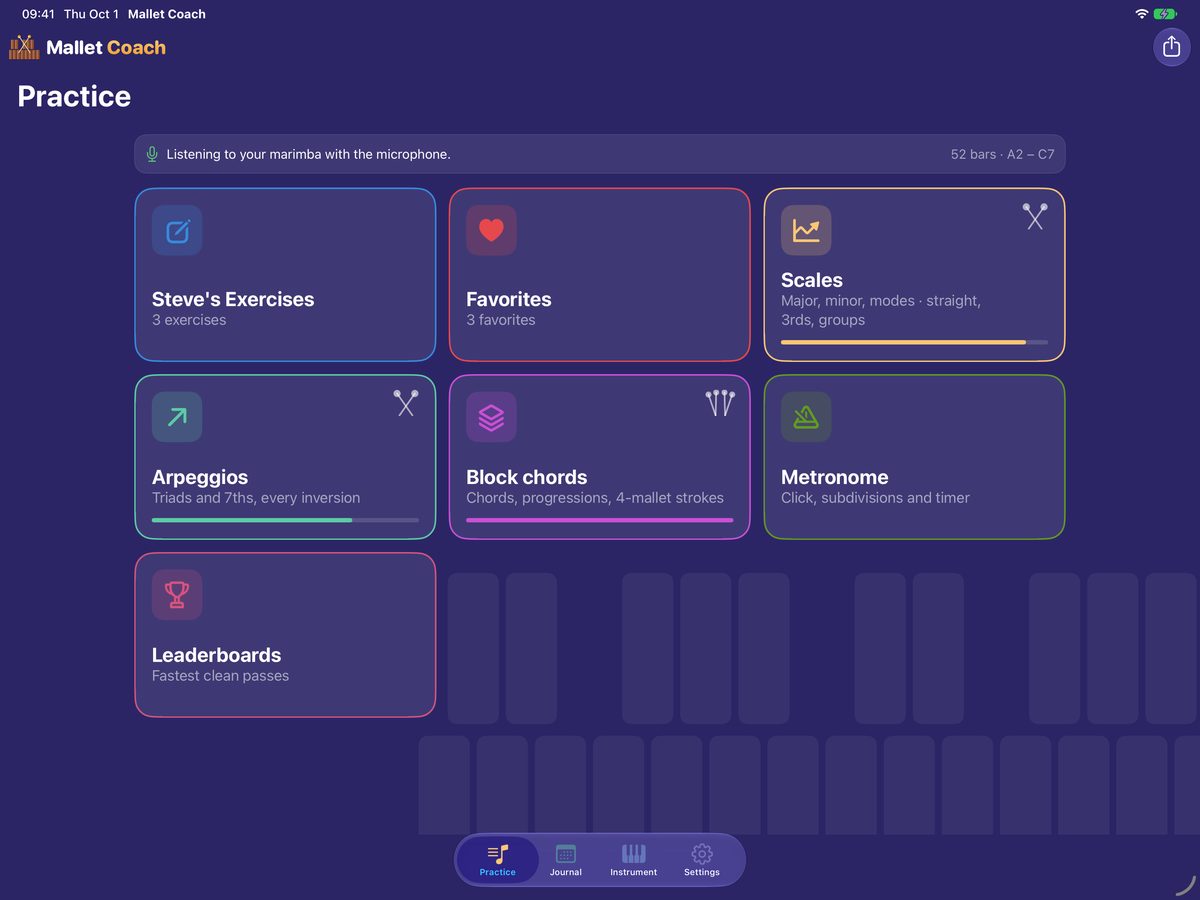
Swipe to see more.
On iPhone.
Swipe to see more.
Mallet Coach is coming soon to the App Store.
For iPhone and iPad. No account, no ads, no tracking. Want to know the moment it lands? Drop us a line and we’ll let you know.
Notify me All software