 Editor for Mandala V3 & Synapse · iPhone & iPad · Free · Coming soon
Set up your Mandala pads and Synapse from your iPhone.
Editor for Mandala V3 & Synapse is a free editor for Synesthesia Mandala V3 drum pads and the Mandala Synapse. Plug a pad into your iPhone or iPad, tap a zone or a rim on the drawing, and change what it sends. Then send the settings to the pad, and the app reads them back to check they took. Plug in a Synapse to set up its kick, hi-hat, and expression pedals.
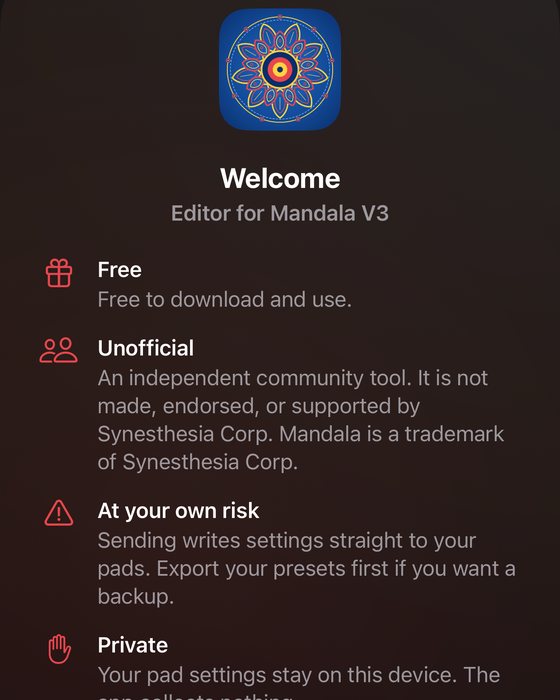
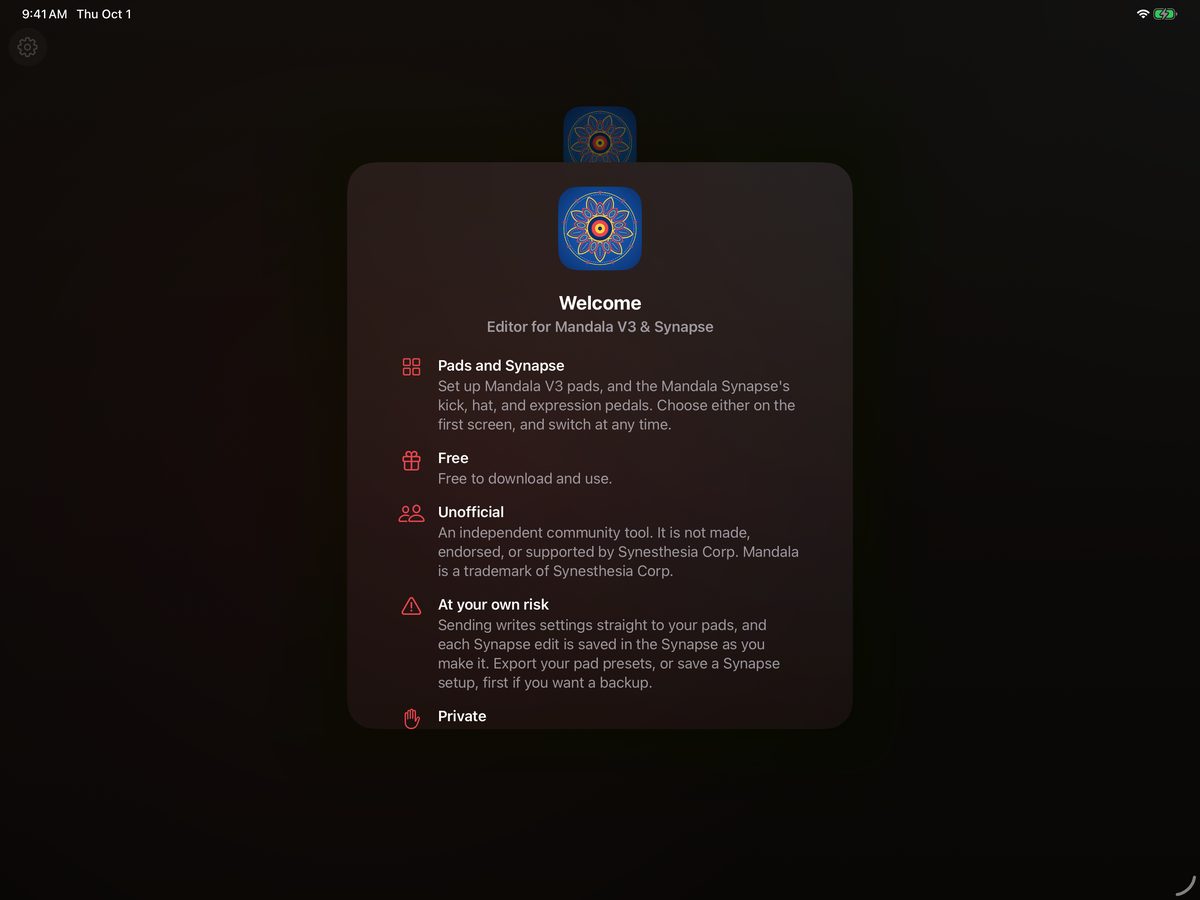
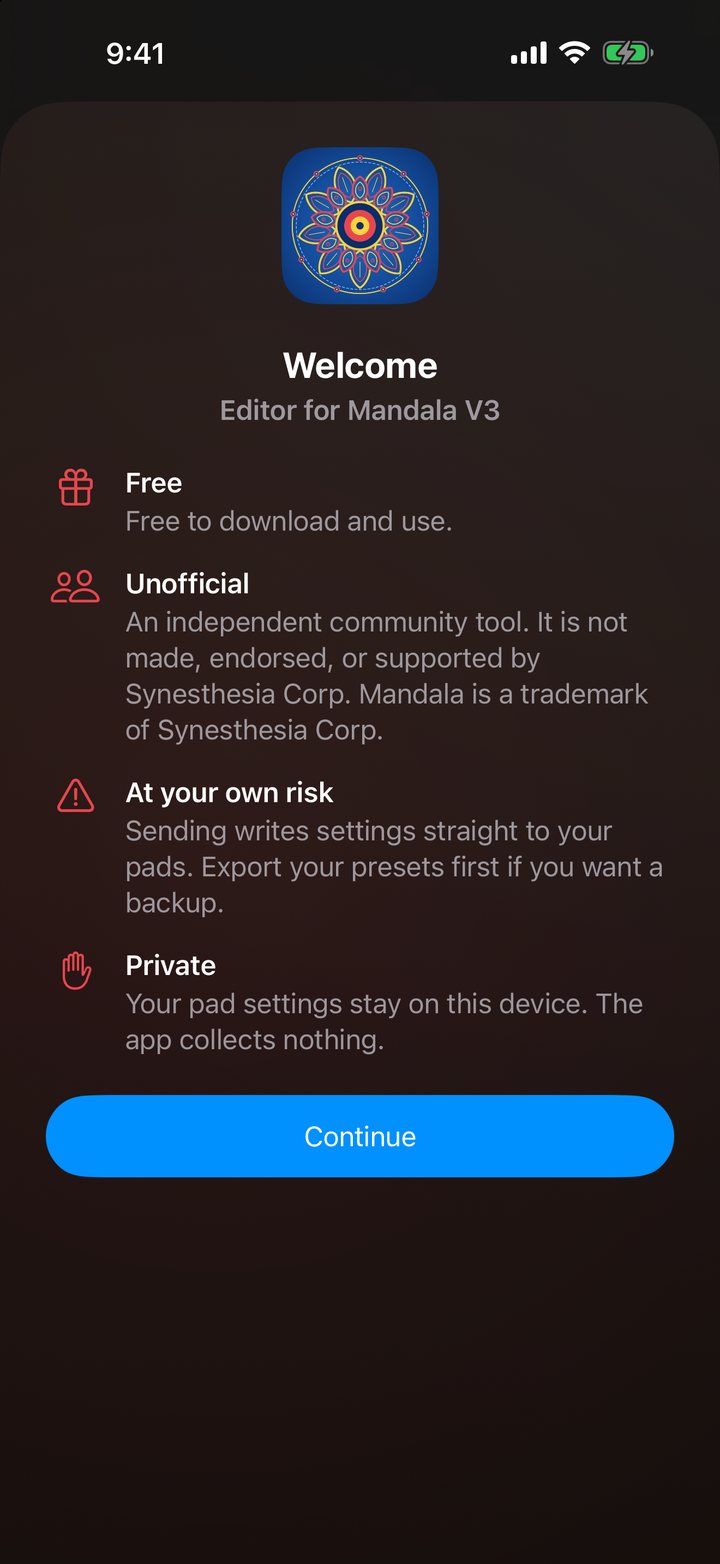
An independent, unofficial app. Not made, endorsed, or supported by Synesthesia Corp. Mandala is a trademark of Synesthesia Corp.
Plug in. Tap. Send.
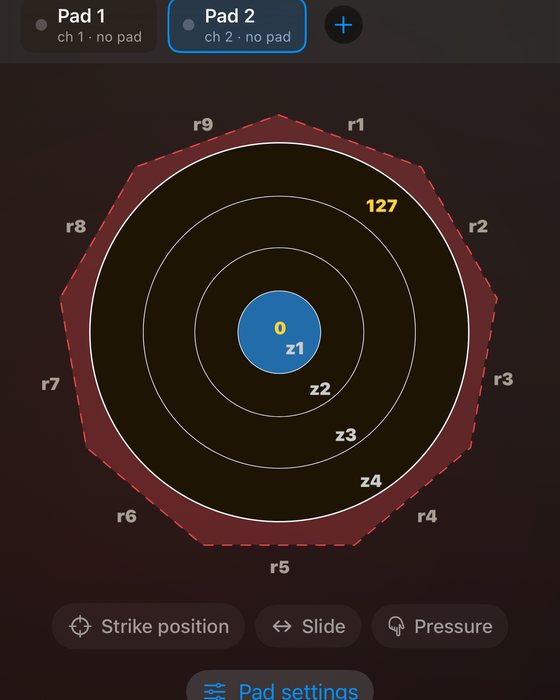
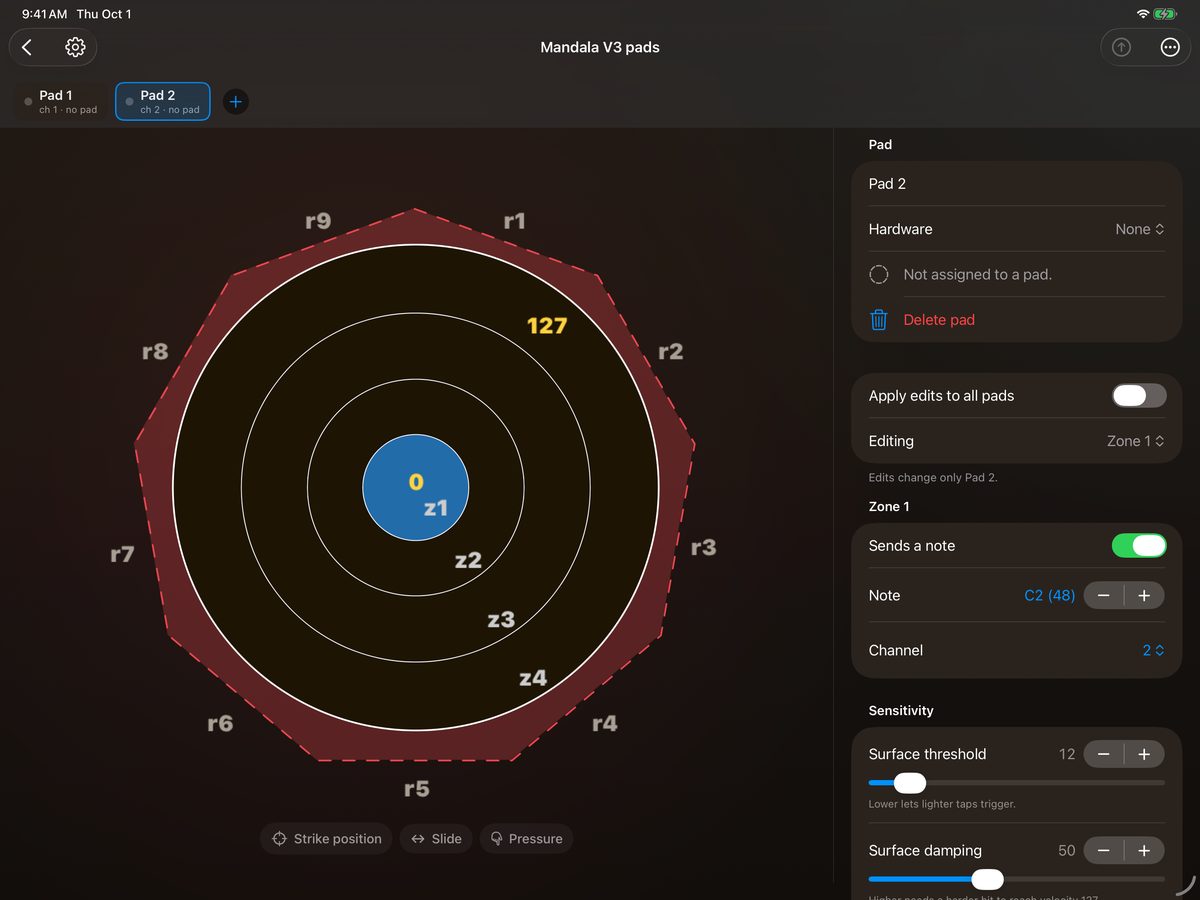
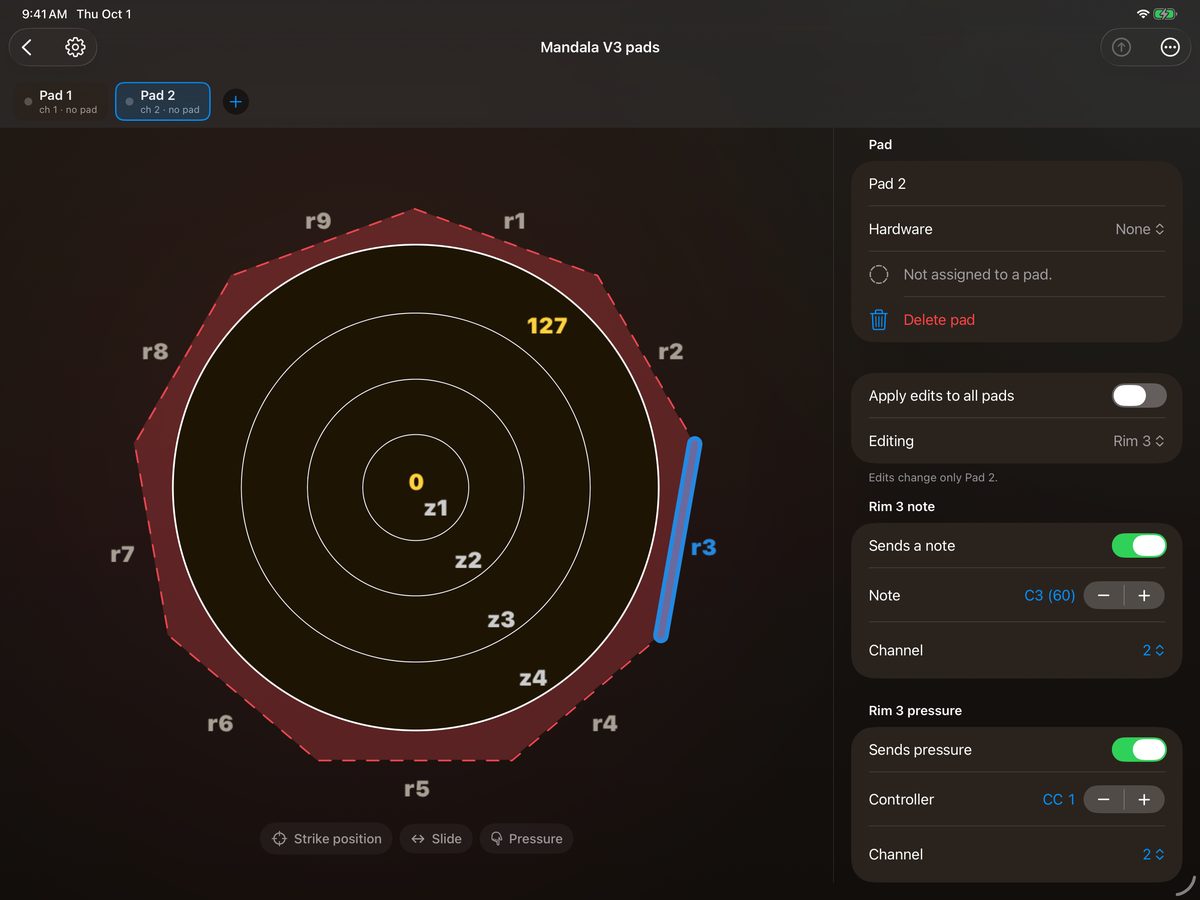
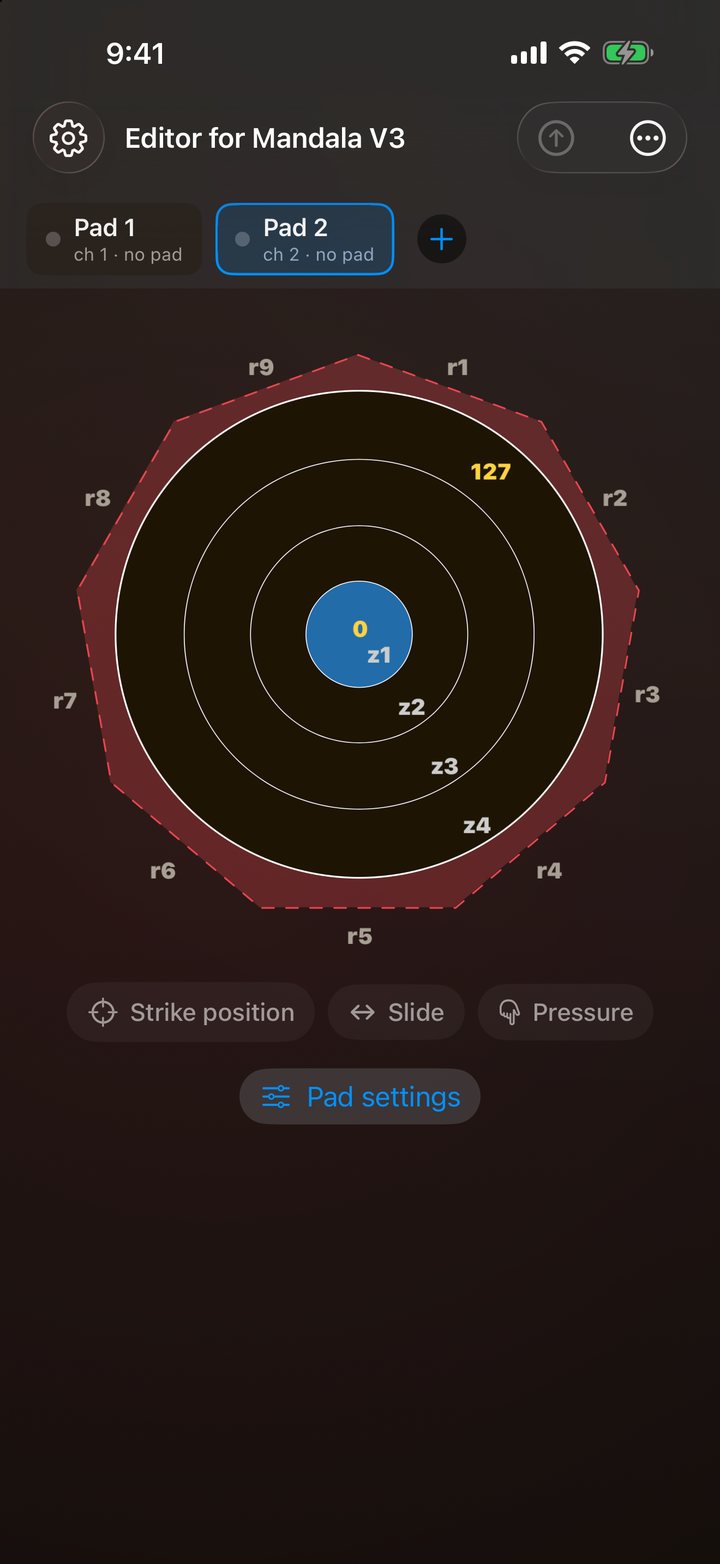
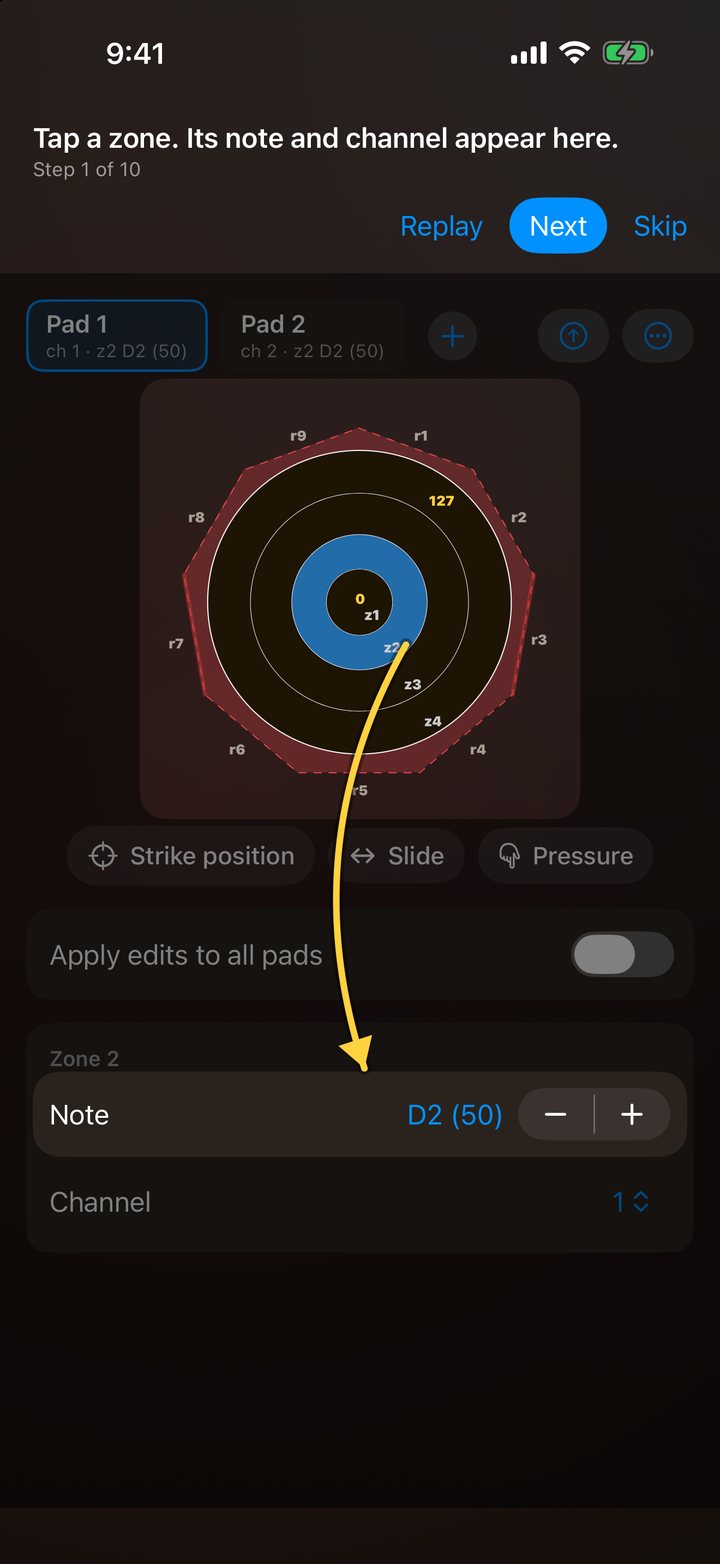
No laptop and no browser utility. The pad is drawn on screen the way Mandala players already know it, with zones z1 to z4 from the centre out and rims r1 to r9 around the edge.
1. Plug in
Connect a Mandala V3 pad to your iPhone or iPad over USB. The app finds it by name and shows it as a pad card. Several pads can be connected at once.
2. Tap and edit
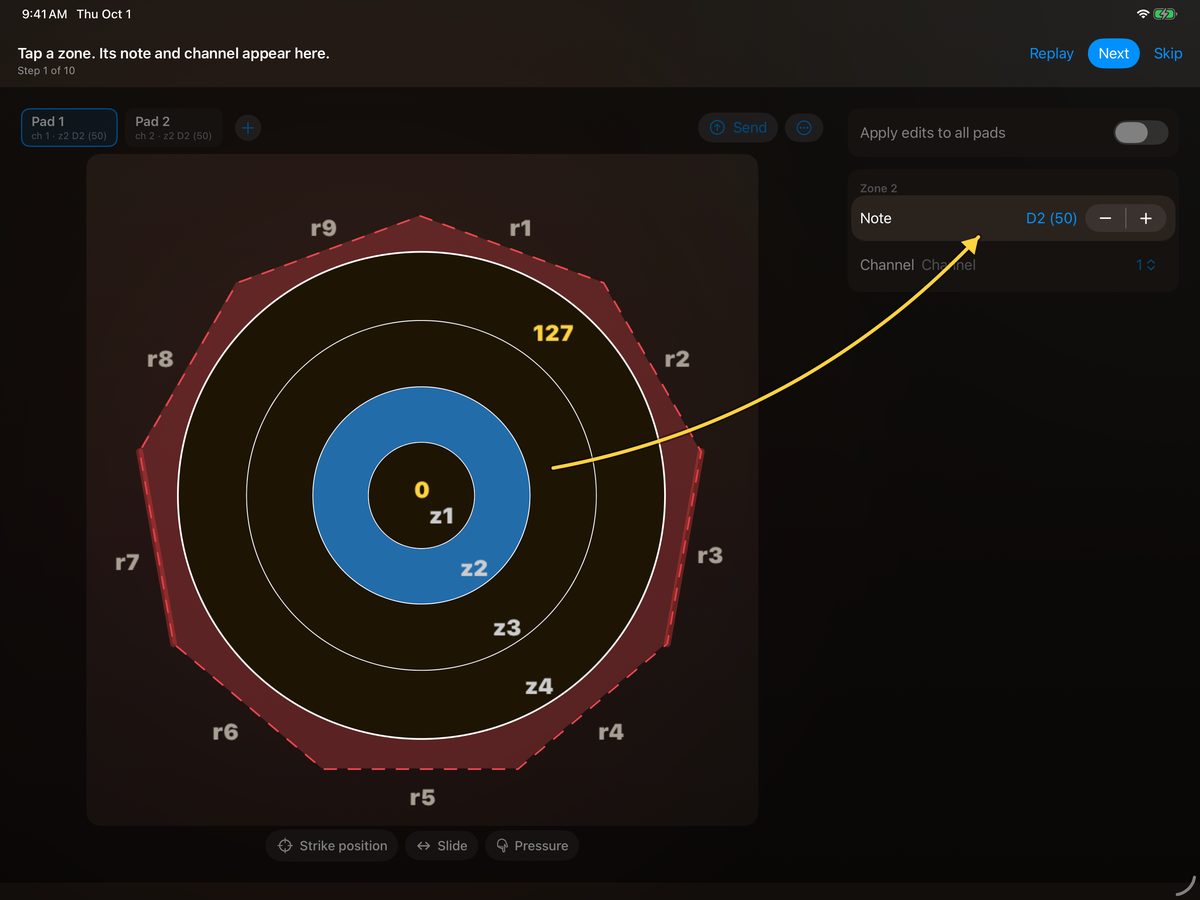
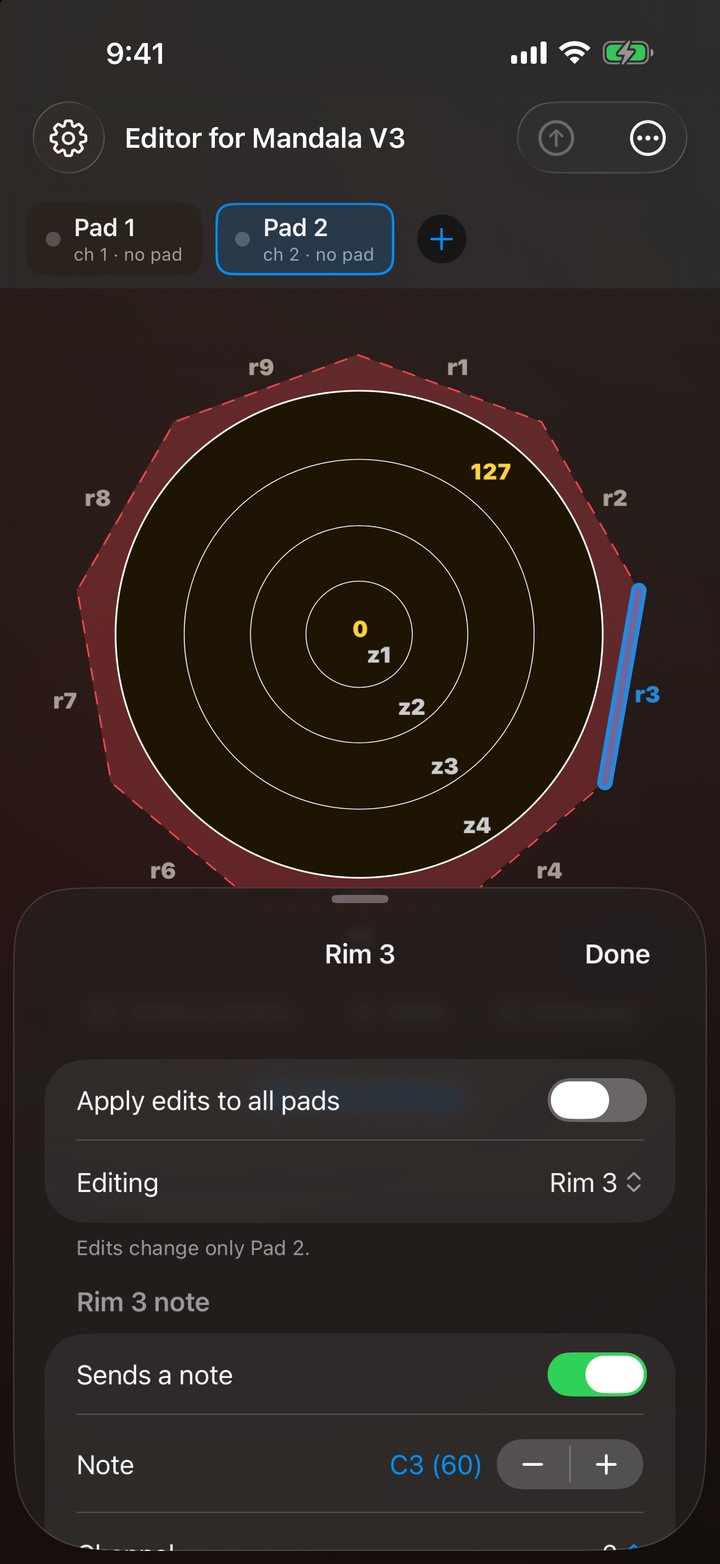
Tap a zone or a rim and its note and channel appear below the drawing. Change them with a tap, or switch on Apply edits to all pads to change every pad together.
3. Send and verify
Send writes the settings to the pad, then reads them back. If anything didn’t take, the app shows which settings differ so you can send again or load the pad’s own settings.
Everything the pad can be told, in your pocket.
Built for setting up at the gig, in the rehearsal room, or on the couch with no pad plugged in at all.
Zones and rims
Every one of the four zones and nine rims gets its own note and MIDI channel. Rims can also send a pressure controller on a channel of their own.
Strike position, slide and pressure
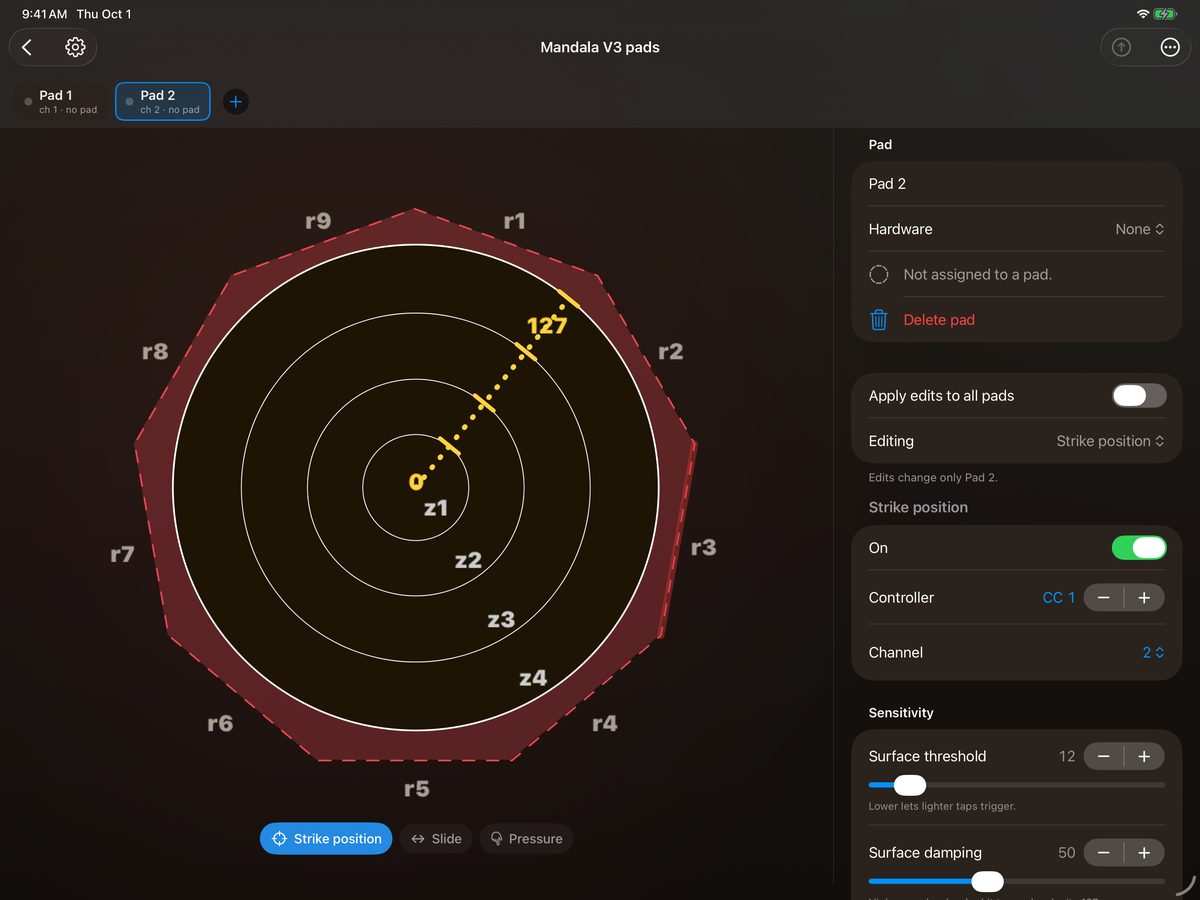
Map the three surface controllers to a control change, aftertouch, or pitch bend up or down, each on its own channel. Strike position reads 0 at the centre and 127 at the edge.
Sensitivity and damping
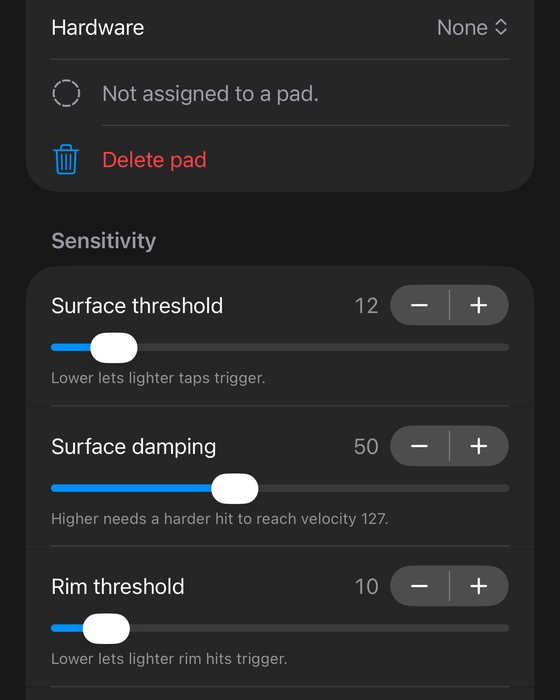
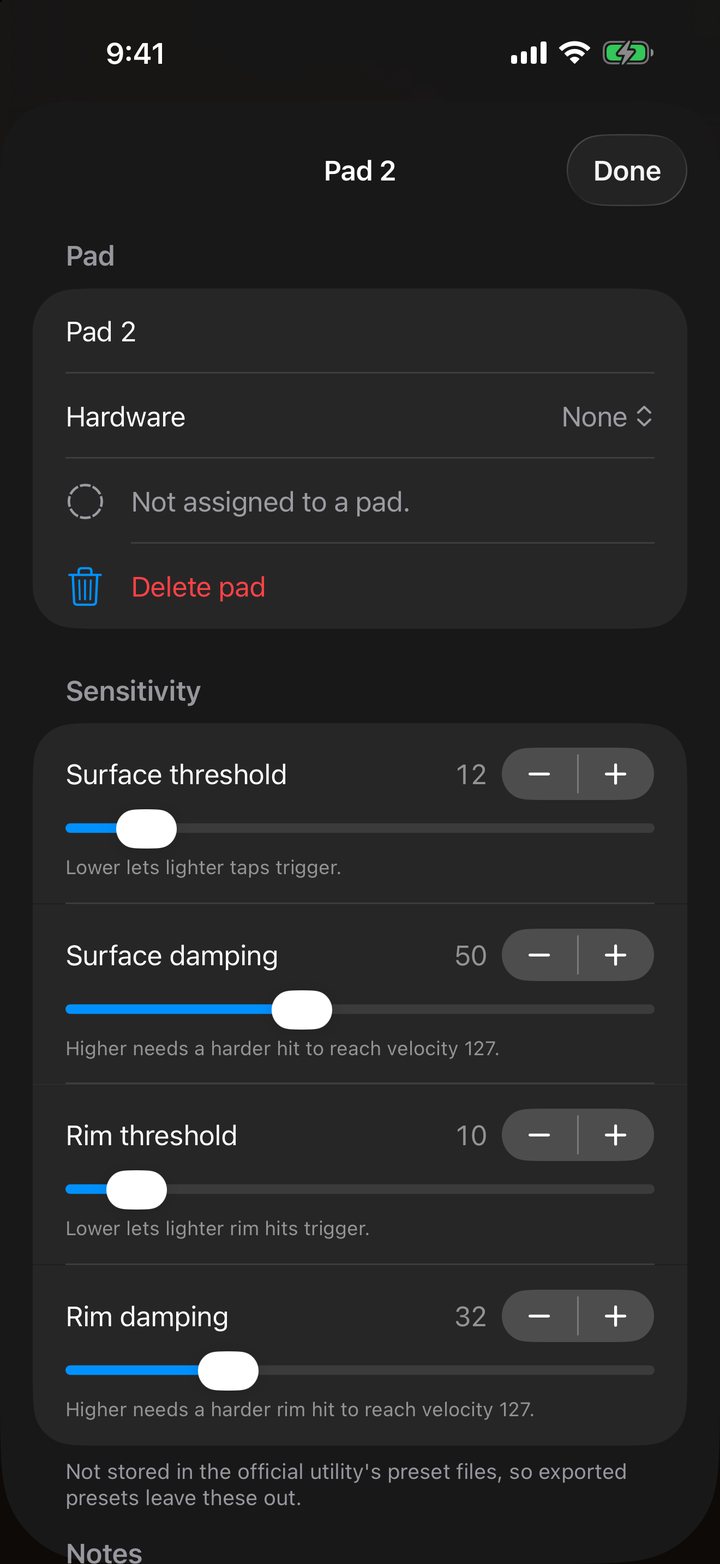
Set how light a tap triggers the surface and the rim, and how hard a hit it takes to reach velocity 127. These four settings aren’t in the official preset files, so the app keeps them for you.
Official preset files
Import and export the same XML preset files the official Mandala V3 utility uses. Move setups between a computer and your phone through the Files app.
Many pads, even unplugged
Each pad is a card you can switch between. Add a pad with nothing plugged in, build its whole setup offline, and send it the next time it’s connected.
Selection follows MIDI
Turn it on and whatever you hit gets selected: strike a zone or a rim and the editor jumps straight to it, switching pads if it needs to.
Guided tutorial
A ten-step walkthrough shows each part of the editor with an animated hand on a practice screen. Replay it from Settings any time. Light and dark appearance included.
Free and private
Free to download and use. No account, no analytics, no ads, and no third-party code. Your pad settings stay on your device.
The pedals, too.
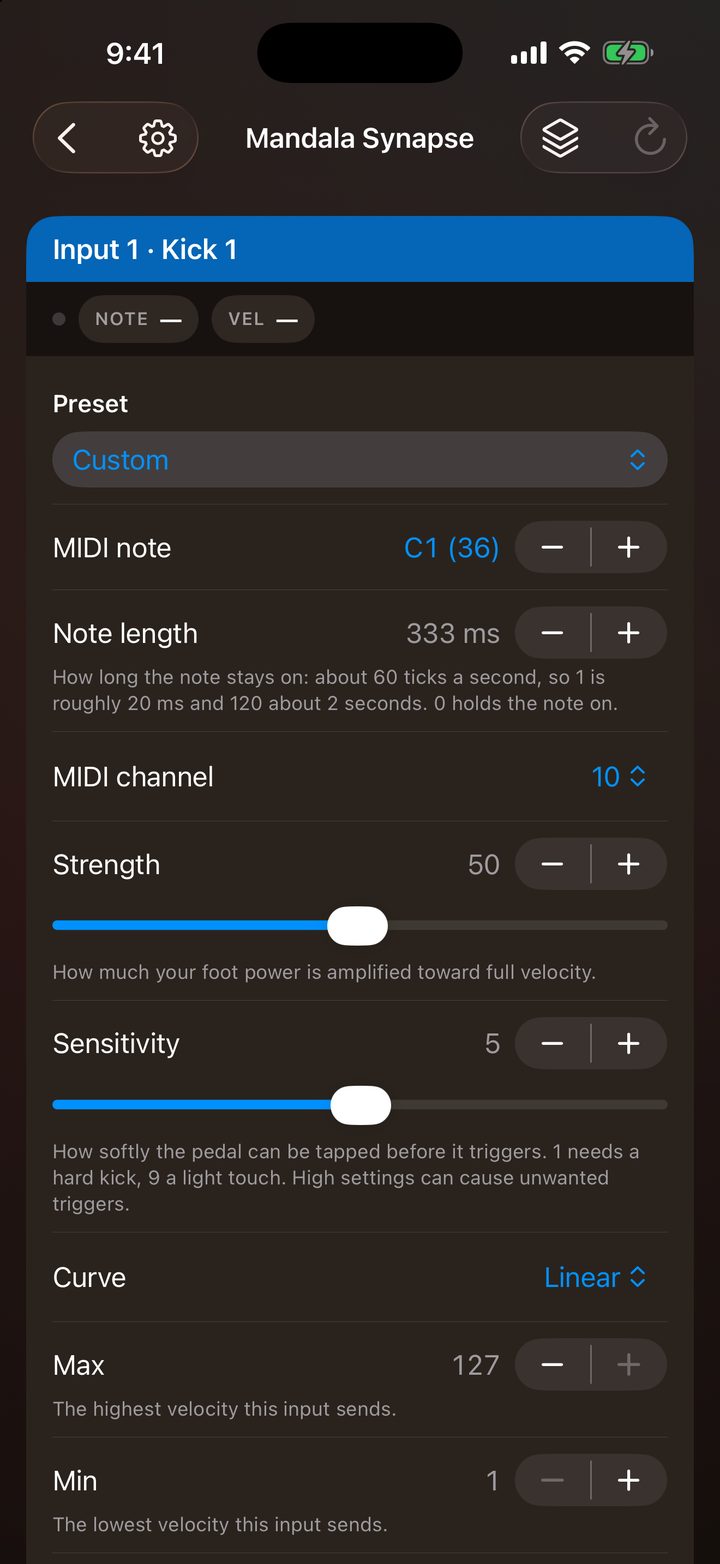
Plug in a Mandala Synapse and set up its kick, hi-hat and expression pedals from the same app. Choose pads or the Synapse on the first screen, and switch at any time.
Every input
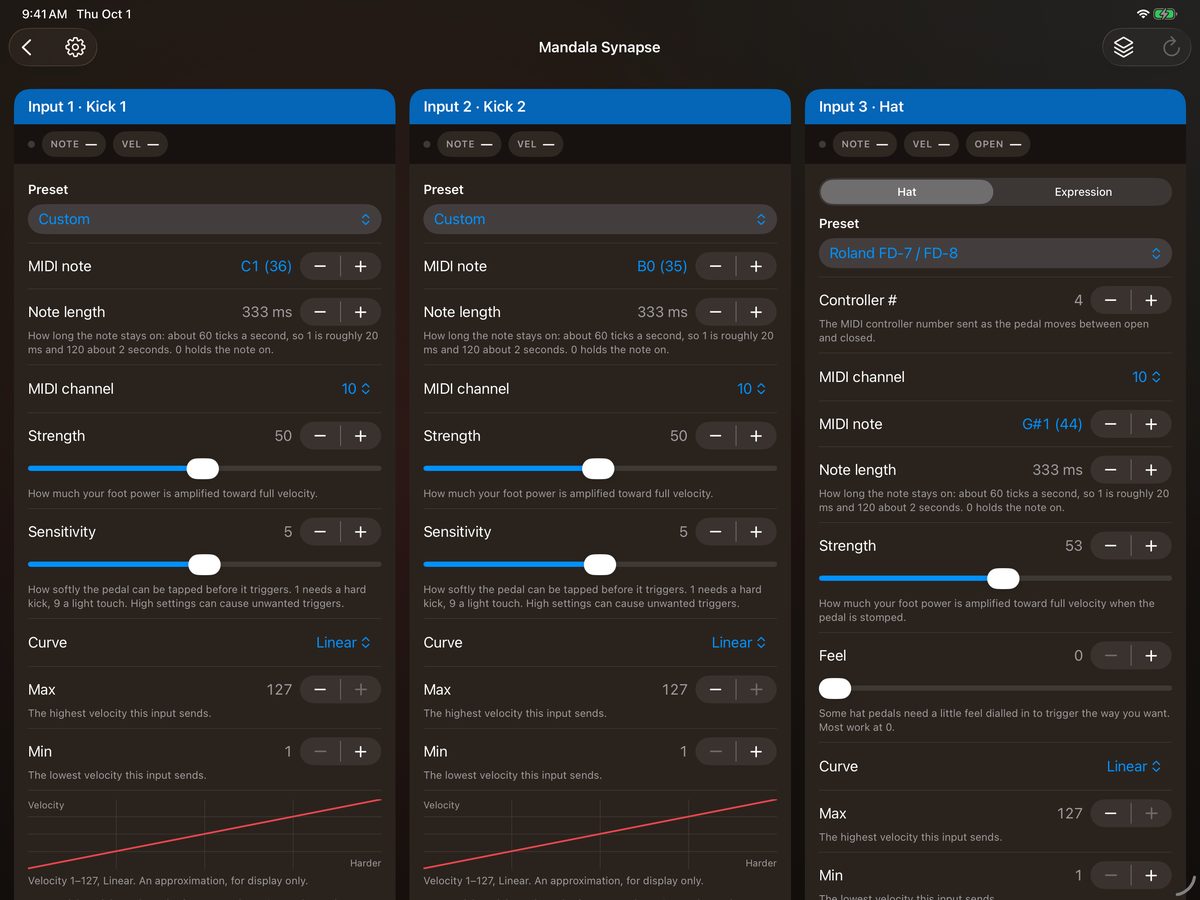
Two kicks, a hi-hat that can take a second expression pedal instead, and an expression pedal. Set each one’s note, length, channel, velocity range, curve and sensitivity. Edits go straight into the Synapse, with no save step.
Hi-hat presets and setups
Pick your hi-hat from the settings in the Synapse manual, then follow the steps for the trimmer and calibration. Save every setting on all four inputs as a setup, and load it back later. Raw mode and factory reset are in Tools.
Try it without one
No Synapse to hand? Explore with a demo set of values; nothing is sent until one is plugged in. Pads plugged into the Synapse’s USB hub show up in the pad editor too.
A look inside.
The pad editor, a rim, strike position and sensitivity, the Synapse editor, the tutorial, and the welcome notice — straight from the app.
Swipe to see more.
On iPhone.
Swipe to see more.
Editor for Mandala V3 & Synapse is almost here.
Want to know the moment it lands on the App Store? Drop us a line and we’ll keep you posted.
Notify me